Beginner’s Guide to CRM for Local Businesses
Running a local business means wearing a lot of hats — sales, scheduling, marketing, customer service, follow-up, and everything in between. The truth is, most small business owners are juggling more than they should. And a lot of that stress comes from one thing:
Trying to manage customers manually.
That’s where a CRM (Customer Relationship Management) system becomes a game changer.
Whether you’re a contractor, detailer, landscaper, esthetician, plumber, barber, or any other local service provider, a CRM can help you stay organized, automate your workflow, and run your business more efficiently.
If you're new to CRMs, don’t worry — this guide breaks everything down in simple, practical language.
What Is a CRM (And Why Should Local Businesses Care)?
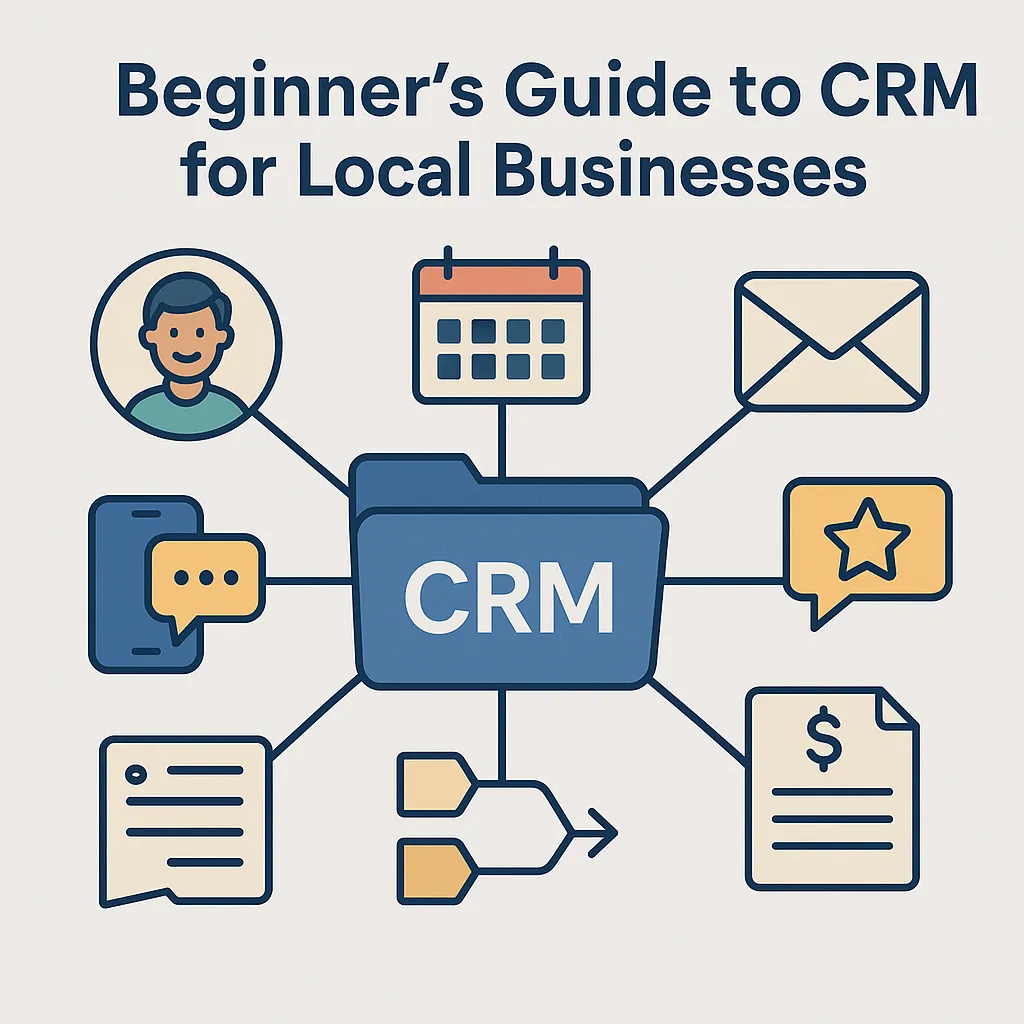
A CRM is software that helps you manage:
Your customers
Your leads
Your communication
Your appointments
Your sales pipeline
Your follow-up
Your payments
Your marketing
In short:
👉 A CRM is your digital brain for your business.
Instead of using random notes, spreadsheets, sticky notes, or trying to remember everything, a CRM brings everything into one organized system.
Why Local Businesses Are Turning to CRMs in 2025
Big corporations have used CRMs for decades. But now, local business owners are seeing the same benefits — without the complexity or cost.
Small businesses are adopting CRMs because they want to:
✔ Stop missing leads
✔ Stay organized
✔ Look more professional
✔ Automate communication
✔ Track customers easily
✔ Make more money
✔ Save time
✔ Reduce no-shows
✔ Build repeat business
A CRM isn’t just a luxury anymore — it’s becoming a necessity for local businesses that want to grow.
How a CRM Works (Explained Simply)
Think of your CRM as a central hub where everything comes together:
1. Leads come in.
From your website, social media, referral, ad, phone call, or walk-in.
2. They are automatically added to your CRM.
No more writing down names or forgetting who contacted you.
3. Follow-up starts instantly.
The CRM can send:
Text replies
Emails
Reminders
Estimate follow-ups
Booking links
4. Leads are moved through a simple pipeline.
Examples:
New lead
Contacted
Estimate sent
Waiting on reply
Booked
Completed
Paid
You can see exactly where each customer stands.
5. All communication is tracked in one place.
Texts, emails, calls, notes — everything stays under one contact.
6. Customers book, pay, review, and repeat.
All from the same system.
This is how local businesses double their efficiency without hiring more staff.
Key CRM Features Every Local Business Should Use
Not all CRMs are created equal. Local businesses need tools that simplify—not complicate—their day-to-day operations.
Here are the features that matter most:
1. A Central Conversations Inbox
Text, email, Facebook messages, Google messages, Instagram DMs, calls — all in ONE place.
No more switching apps. No more missed messages.
2. Online Booking & Appointment Management
A customer should be able to book:
A service
A consultation
A meeting
A repair
A treatment
…without calling or texting.
CRMs like SaaSquatchAI make this seamless.
3. Automated Follow-Up & Reminders
Follow-up is where most local businesses lose money.
A CRM can automatically send:
Estimate reminders
Appointment confirmations
No-show preventers
Welcome messages
Nurture sequences
Review requests
This alone pays for the CRM 10× over.
4. Sales Pipeline & Opportunities Tracking
You should always know:
How many leads you have
Where every customer is in the process
How much money is in your pipeline
What needs your attention today
No more guessing.
5. Estimates, Invoicing & Payments
CRMs replace:
CashApp
Venmo
PayPal
Paper invoices
Manual estimates
Payment chasing
You can send estimates, get approvals, issue invoices, and collect payments — all inside your system.
6. Reputation Management (Reviews)
Reviews are everything for a local business.
A CRM should help you:
Generate more reviews
Track them
Publish them
Reply automatically
Protect your rating
This improves online visibility and builds trust.
7. Email & SMS Marketing
Stay connected with your customers automatically with:
Newsletters
Promotions
Seasonal reminders
Birthday messages
Reactivation campaigns
This keeps customers coming back — without you doing anything manually.
How a CRM Helps You Look More Professional
Customers expect a modern experience when they choose a local business.
A CRM instantly elevates your business by giving customers:
✔ Easy online booking
✔ Smooth communication
✔ Text reminders
✔ Digital estimates
✔ Online payments
✔ Fast replies
✔ Automated follow-up
When you look more professional, customers trust you more — and spend more.
Real-World Example: A Local Business Using CRM for the First Time
A detailing shop switches from:
Paper invoices
Facebook messages
Handwritten notes
Google Calendar
Cash payments
Manual follow-up
…to a CRM.
Within 30 days they see:
🔥 3× more reviews
🔥 Faster bookings
🔥 Higher customer satisfaction
🔥 Fewer missed messages
🔥 More repeat clients
🔥 A more organized business
This isn’t magic — it’s what happens when everything in your business finally works together.
Signs Your Local Business Is Ready for a CRM
You’re ready if ANY of these sound familiar:
❗ You lose track of leads
❗ Customers don’t show up
❗ You forget to follow up
❗ You manually send messages
❗ You use too many apps
❗ You want to grow
❗ You feel disorganized
❗ You want more reviews
❗ You’re overwhelmed
A CRM solves all of these problems in one place.
Why SaaSquatchAI Is the Perfect CRM for Local Businesses
Unlike complicated big-name CRMs, SaaSquatchAI is built specifically for:
Local service providers
Small business owners
Busy schedules
Simple, fast workflows
It includes:
✔ Conversations inbox
✔ Booking & calendars
✔ Automations
✔ Estimates & invoices
✔ Payments
✔ Email & SMS marketing
✔ Reputation management
✔ Website builder
✔ AI employee “Anna”
✔ Analytics & reporting
Everything your business needs.
All in one place.
Without the hassle.